
#ACScrollNavigationBar (swift)
A scrollable UINavigationBar that follows a UIScrollView. This project is a port of GTScrollNavigationBar to swift. Requires XCode-6 beta and iOS 8 SDK.
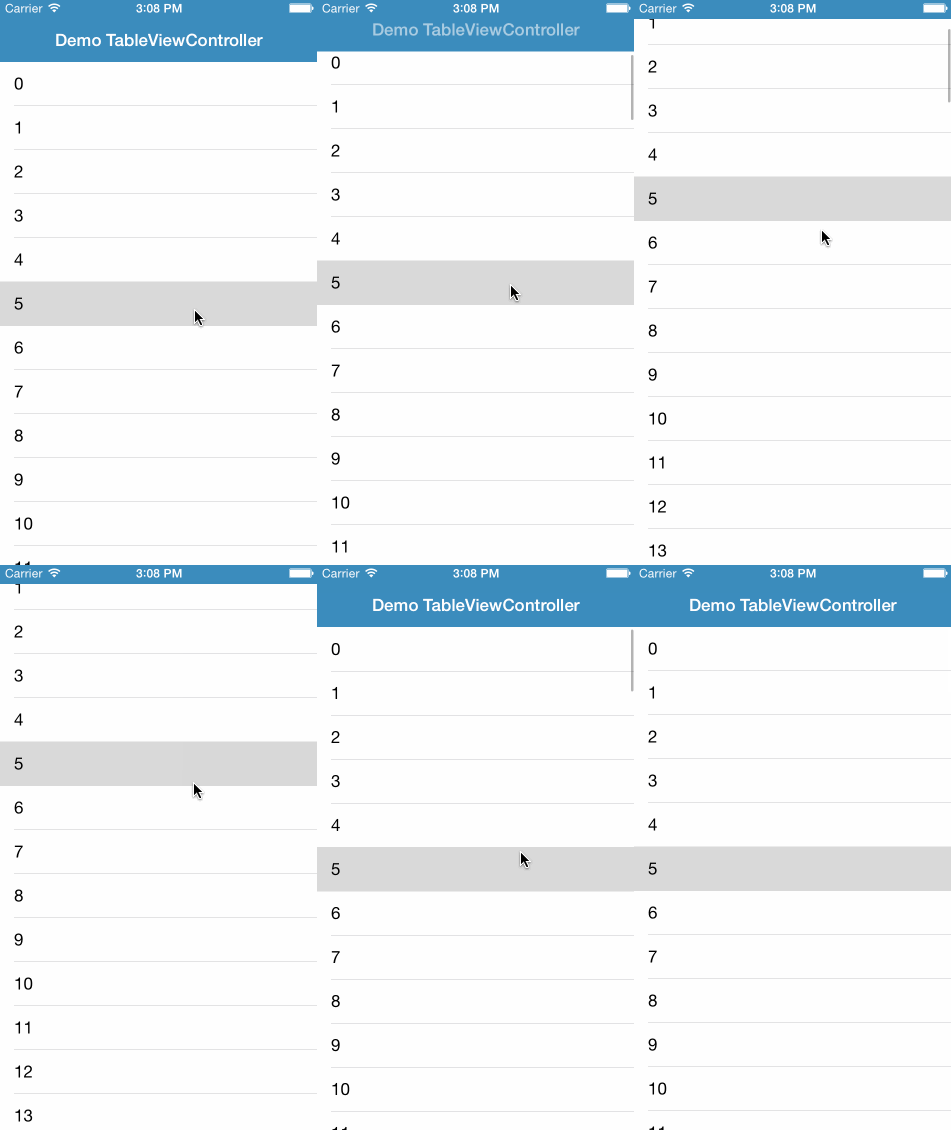
##Installation
###Manually
Add the ACScrollNavigationBar folder to your project.
##Usage
Setup the NavigationController to use ACScrollNavigationBar
var navController = UINavigationController(navigationBarClass: ACScrollNavigationBar.self, toolbarClass: nil)

var vc = SampleTableViewController(style: UITableViewStyle.Plain)
navController.setViewControllers([vc], animated: false)
In your ViewController that has a scrollview (self.tableView in the example), attach the scroll view to the ACScrollNavigationBar on viewWillAppear(animated: Bool) and detatch it on viewWillDisappear(animated: Bool)
// viewWillAppear()

if let scrollNavBar = self.navigationController.scrollNavigationBar {
  scrollNavBar.scrollView = self.tableView
}

// viewWillDissapear()

if let scrollNavBar = self.navigationController.scrollNavigationBar {
  scrollNavBar.scrollView = nil
}
Also implement scrollViewDidScrollToTop(scrollView: UIScrollView!) in your view controller after setting it up as delegate of its scroll view.
  func scrollViewDidScrollToTop(scrollView: UIScrollView!) {
    self.navigationController.scrollNavigationBar?.resetToDefaultPosition(true)
  }
##Contact @alexcorre